Get the beta

TRANSFOMODEL

Transformer saturationmodeled from the iron up

VST3 · AU · macOS 12+ · Windows 10 and 11

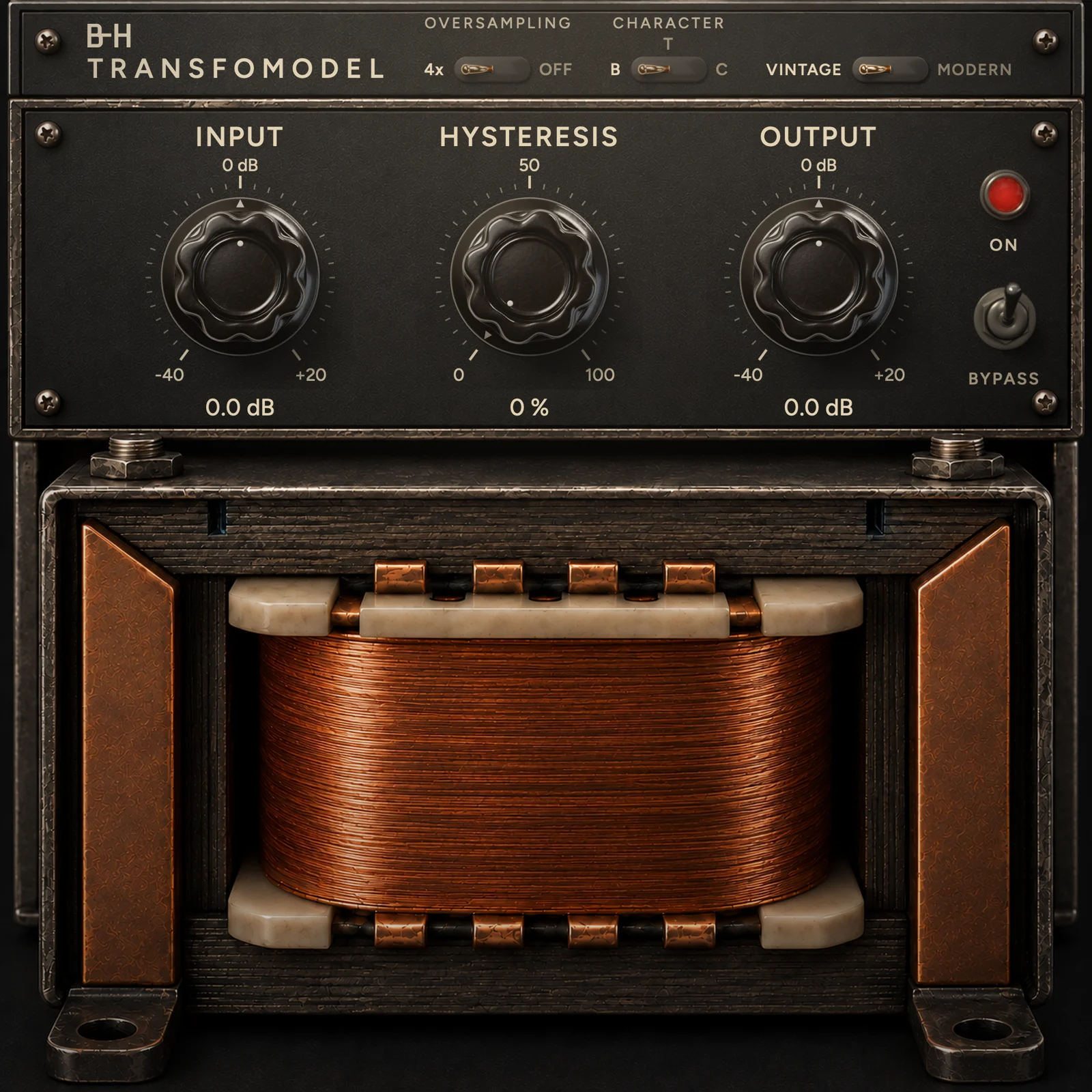
TransfoModel, Vintage skin: Input, Hysteresis and Output knobs above a copper-wound audio transformer.

Most saturation plugins apply a fixed curve. TransfoModel simulates the iron inside the transformer, so the weight and the drive follow what you play.

Real magnetic hysteresis

A Jiles-Atherton core model with Bertotti dynamic losses. The same equations physicists use to describe ferromagnetic materials.

Three transformer cores

Voiced on a Neve console output, a Jensen input transformer and a FINEMET nanocrystalline core. Three materials, not three curves. Switch while the track plays.

Clean when you need it

4x oversampling keeps the harmonics free of aliasing. Turn it off for zero latency and a quarter of the CPU.

TRANSFOMODEL
Character
HYSTERESIS50 010065 %
Drive 133 %Output trim −0.9 dB

Open the loop. Hear the iron.

The scope plots flux density B against the field H. At 0 % the loop is thin and the core works as a soft saturation. Turn Hysteresis up and the real Jiles-Atherton loop opens while Drive climbs from 100 to 150 %. Output trims hold the loudness, so you hear the iron, not the volume.

T

Input transformer

Voiced on the Jensen JT-115K-E

Drag the knob, use the arrow keys, or flip B · T · C, from the hardest loop to the softest. A browser illustration of each core; the plugin's own scope plots the real model and goes blank in silence.

Hear it at the same level.

Each clip plays dry and through TransfoModel, in sync. Flip the switch while it plays. Louder always sounds better, so both versions are matched before you hear them.

Level-matched in LUFS and true peak. The figure on each clip is the loudness TransfoModel added before matching.

    Measured, not claimed.

    The usual objections, answered with numbers from the real plugin. Where TransfoModel departs from a textbook transformer, it is a choice: each alternative was built, measured and judged on a master.

    It’s just a waveshaper.

    −64dBc

    The core remembers.

    A quiet 1 kHz tone played 0.3 s after a loud kick picks up second harmonic, because the kick left the iron magnetized. Played alone, the same tone sits at −126 dBc. A waveshaper gives the same output both times.

    Character T, Hysteresis at max

    The B-H scope is marketing.

    10–14%

    The loop is real, and wide.

    Loop width at full Hysteresis, as the share of the peak field. The scope draws the core’s own H and B, sample by sample, and stays blank when there is no sound.

    1 kHz at 0 dBFS · 0.6–1.1 % at knob 0

    It just gets louder.

    +0.1LU

    The trims cancel the level rise.

    Loudness of Character T at full Hysteresis against knob 0, on a mastered track. C comes in at −0.7 LU. B holds its bass and lowers the rest, ending 3.5 LU quieter.

    30 s mastered excerpt, Input 0

    The low end is a fixed filter.

    42→75Hz

    The bass follows the iron.

    The high-pass corner sweeps within every cycle of a 50 Hz tone, because it is computed from the core’s inductance after each sample. At 50 Hz the core loses 2.18 dB, against 0.96 dB with the inductance frozen.

    Character T, 0 dBFS, knob 0

    It’s just a clipper, or a limiter.

    −20dBFS

    A saturator, not a peak tool.

    We tuned a clipper, a limiter and TransfoModel for the same loudness gain at the same true peak. The limiter rides the gain, so the cymbals duck at every hit. The clipper does nothing until its threshold. The core starts bending about 20 dB below full scale, so it shapes the body of the sound, not only the peaks, and it remembers the last hit. It is not a cleaner route to loudness: pushed to the same gain, a clipper followed by a limiter adds 4 to 8 dB less distortion. Use TransfoModel for density and colour, and keep your limiter last.

    Character T, knob 0, Input 0 · +3.9 dB at the same true peak on an unmastered mix · against a 4x hard clip, a 4x tanh and a 5/100 ms lookahead limiter
    What we do not claim
    • The Hysteresis knob is not a capture of one hardware unit. Drive up to 100 % is calibrated on hardware; above that it is extrapolated.
    • Saturation does not sit in the bass the way it does in real iron. We built a model that does, and dropped it for its sound.
    • At 0 % the loop is thin. The hysteresis becomes audible as you turn the knob, not before.

    Two faces. One engine.

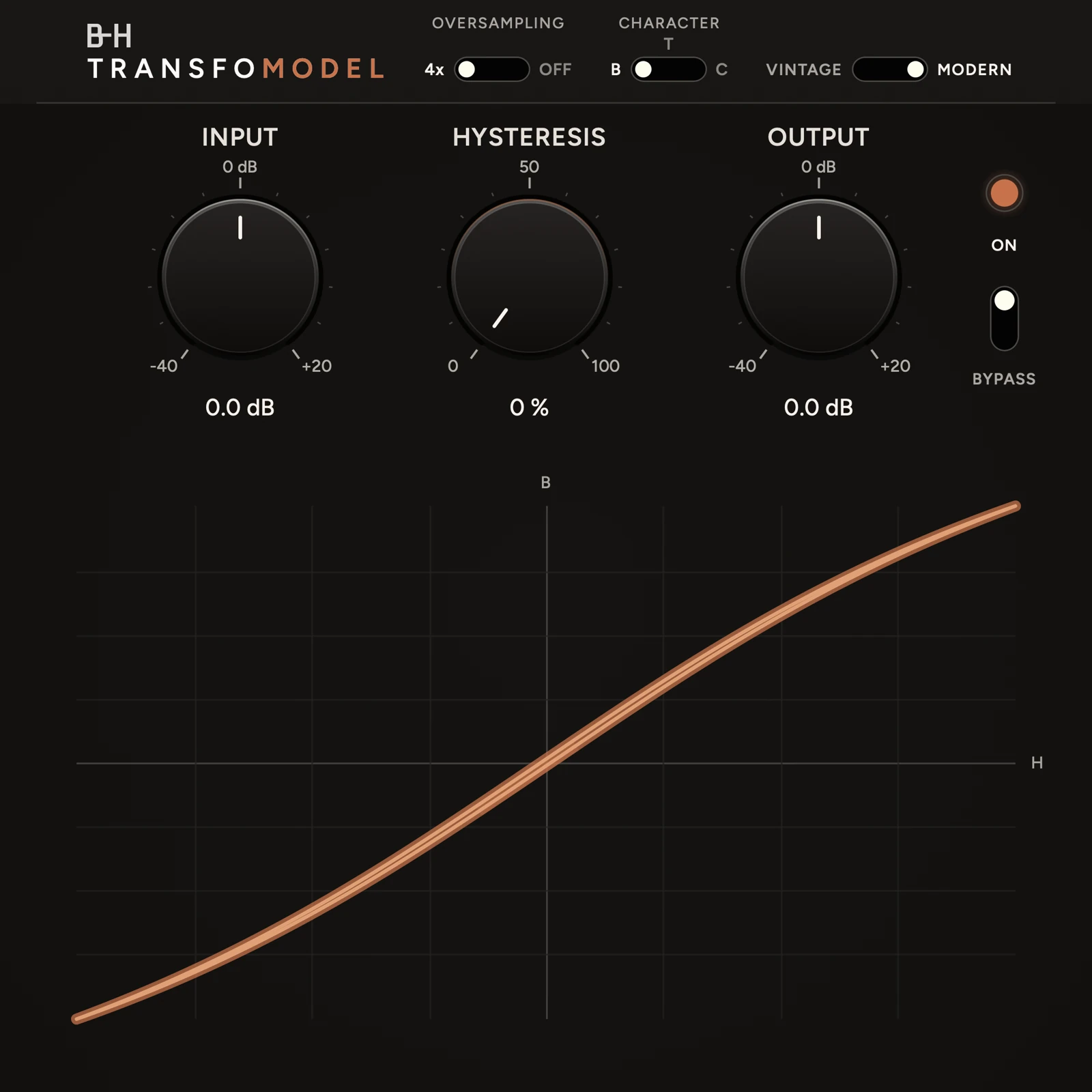
    Vintage puts the transformer on show. Modern trades it for a large live scope. The switch is in the header and the sound stays the same. Drag to compare.

    Modern skin: the same controls above a live B-H loop of the core Vintage skin VintageModern

    Inside the signal path.

    Every sample takes the same route. The high-pass ahead of the core follows its magnetizing inductance, so the low end moves with level the way real iron does.

    INOUT Input−40 … +20 dB 4× uphalf-band FIR High-passtracks the core Core Jiles-Atherton + Bertotti 4× down39 samples total DC block5 Hz Output−40 … +20 dB

    Swipe to follow the signal →

    Formats
    VST3, AUAAX for Pro Tools to come
    System
    macOS 12 or laterWindows 10 and 11, 64-bit (VST3)
    Characters
    B · T · CNeve LI1166 output, Jensen JT-115K-E, FINEMET FT-3M
    Hysteresis
    Opens the Jiles-Atherton loopDrive follows from 100 to 150 %, output trims hold the loudness
    Latency
    39 samples at 4xNone with oversampling off
    CPU
    25 % at 4x, 6 % offStereo, 44.1 kHz, one core of a 2.1 GHz Xeon
    Bypass
    Latency-alignedA/B without a timing jump
    Scope
    The core’s own B-H loopFades out below −60 dBFS

    Download the free beta.

    The full plug-in, free until 31 January 2027. Use it in your sessions and tell us what to fix.

    macOS 12+ · Apple silicon and Intel · AU and VST3 · 108 MB

    Windows 10 and 11, 64-bit · VST3 · 29 MB · no Pro Tools version yet

    After 31 January, the beta passes your audio through unchanged, so your sessions still open and play. After 7 days, and once more at the end, it asks you for a few words of feedback: that is how the release gets built.

    Installing on macOS

    1. Open the disk image

      Double-click Install TransfoModel HystDrive.pkg.

    2. macOS stops it: click Done

      The beta is not signed with an Apple developer certificate yet, so macOS says it cannot verify it. The release will be signed.

    3. Allow it once

      Open System Settings → Privacy & Security, scroll down, click Open Anyway and enter your password. The installer starts.

    4. Open your music software

      Logic, Cubase, Ableton Live, Reaper… It finds TransfoModel HystDrive by B-H Plugins on its next scan. In Cubase, if it does not show, rescan in Studio → VST Plug-in Manager.

    Installing on Windows

    1. Keep the file

      If your browser warns that TransfoModel-HystDrive-Beta-Windows.exe is not commonly downloaded, choose Keep. Then open it.

    2. Windows protected your PC: click More info

      The beta is not code-signed yet, so SmartScreen does not know it. Click More info, then Run anyway, and allow the changes. The release will be signed.

    3. Open your music software

      Cubase, Ableton Live, FL Studio, Reaper, Studio One… It finds TransfoModel HystDrive in C:\Program Files\Common Files\VST3 on its next scan.

    Built with its first users.

    TransfoModel opens with a free beta. It goes on sale only once the people testing it are happy with it.

    1. Now

      Free beta

      Free until 31 January 2027. Use it in your sessions and tell us what to fix.

    2. Next

      Closed for tuning

      The beta closes and we keep working until every tester is satisfied.

    3. Launch

      $29.90 for a month

      The official release, at $29.90 instead of $49.90 for its first month.

    4. After

      $49.90

      The regular price from then on.

    TRANSFOMODEL

    $29.90 $49.90

    Launch price, first month after the beta

    • Three cores, two skins
    • VST3 · AU · AAX
    • Free 1.x updates